

How Review and Issues work together
Review and Issues are part of the same workflow:- Use Review to assess individual conversations and capture feedback.
- When you submit a negative review, Axiom either matches it to an existing issue or creates a new issue.
- Use Issues to track recurring failure patterns across many reviewed conversations.
Open review
To open review:- Open AI engineering.
- Click Review.
- Select a capability from the sidebar.
Choose a queue
Use the queue selector in the page header to change the review source.- Flagged shows traces or conversations that a teammate marked for review.
- Recent shows the latest conversations for the selected capability.
- Negative feedback shows traces with negative user feedback.
- Errored shows traces with errors or exceptions.
- Reviewed shows conversations that already have a saved review.
Flag a trace for review
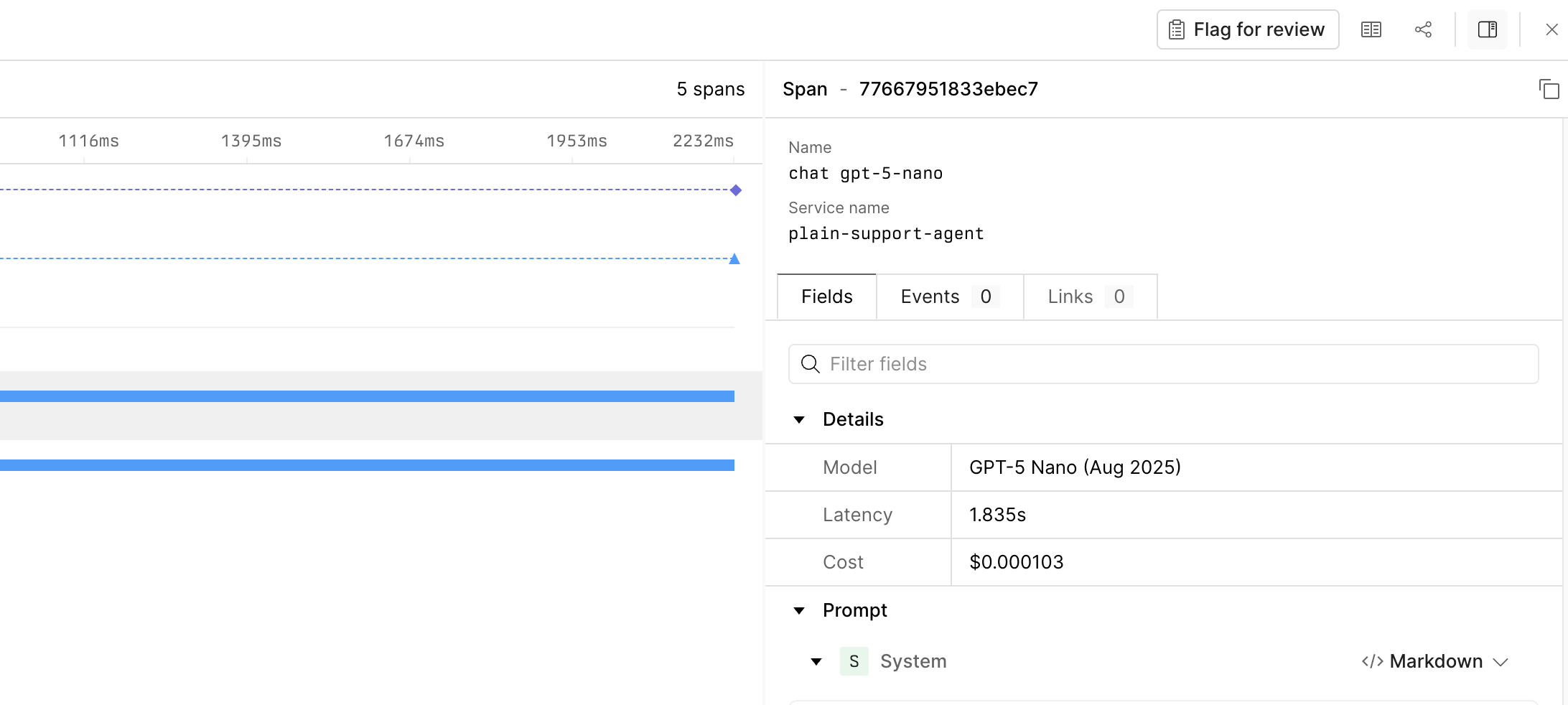
Conversations can be flagged for review through the trace viewer. To flag a trace for review:- Open the trace in Axiom.
- In the trace sidebar, click Flag for review.
- Open AI engineering > Review.
- Select the Flagged queue.
Review a conversation
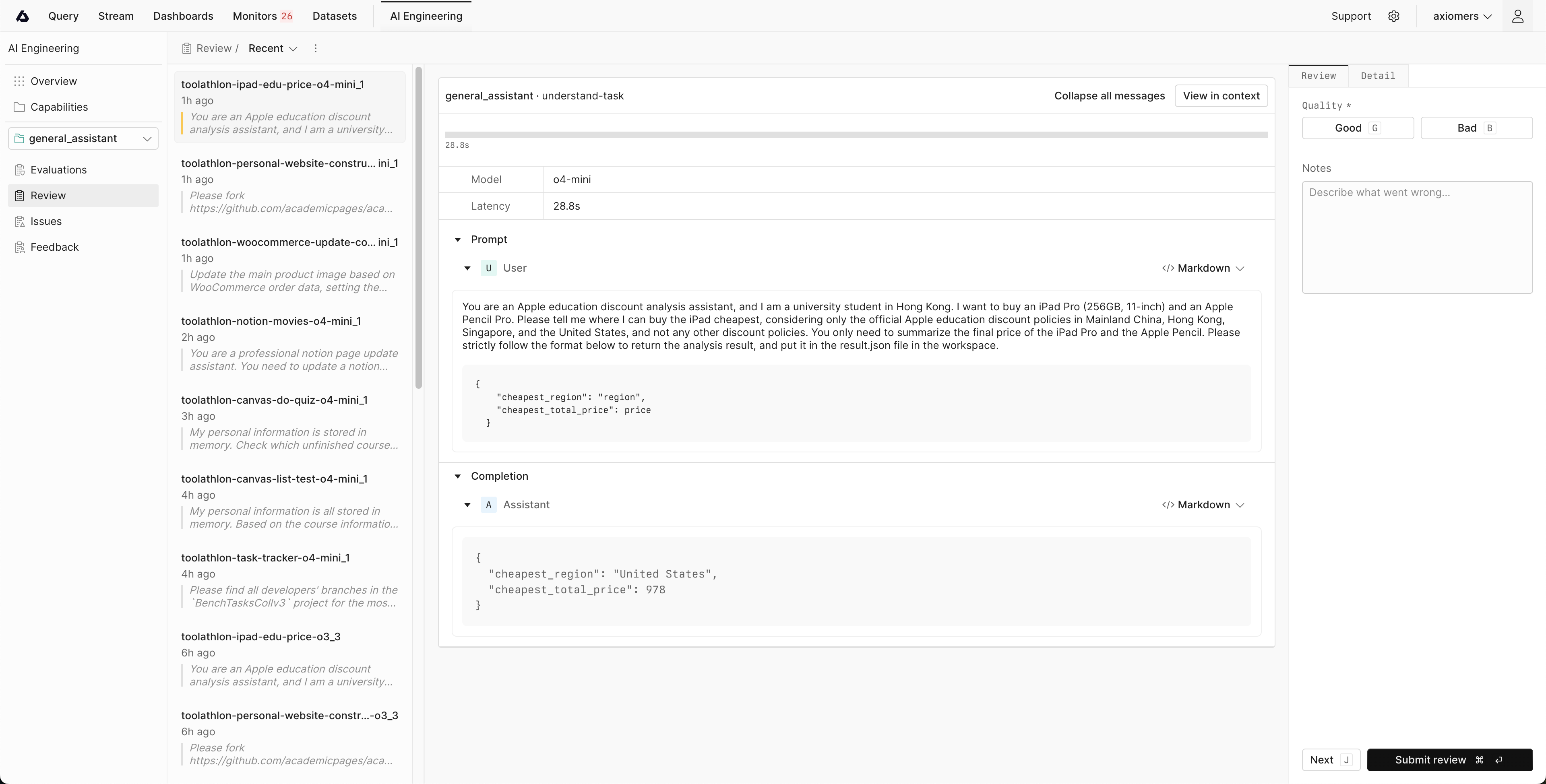
To review a conversation:- Select a conversation from the queue list.
- Inspect the conversation in the center panel.
- Optional: Open the Detail tab to inspect conversation metadata.
- In the Review panel, set Quality to Good or Bad.
- Enter your notes and submit.
- Matches the review to an existing issue.
- Creates a new unresolved issue.
- Skips issue categorization for positive, unrelated, or vague feedback.
View the decision log
Once you submit a review, a decision is logged with status and reasoning. To inspect review-to-issue decisions:- Open AI engineering > Reviews.
- Click the queue actions menu.
- Click View decision log.
- Filter the list by decision type or issue.
- New for reviews that created a new issue.
- Match for reviews mapped to an existing issue.
- Skip for reviews that didn’t create or match an issue.
Move through the queue
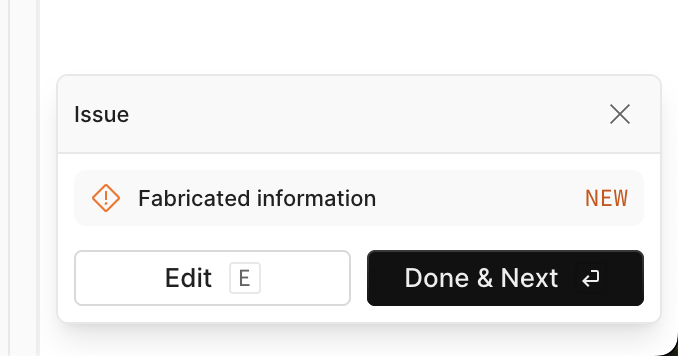
To continue working through a queue:- Click Done & Next to open the next queued conversation.
- Click Edit to override the automatic decision and pick an exisitng issue or create a new one.
Reopen completed reviews
To inspect saved reviews:- Open AI engineering > Review.
- Select the same capability.
- Choose the Reviewed queue.
- Select a conversation from the list.
Related documentation
Track issues
Group recurring review findings into issues and manage issue status.
Iterate
Use production findings to prioritize fixes and improve your capability.