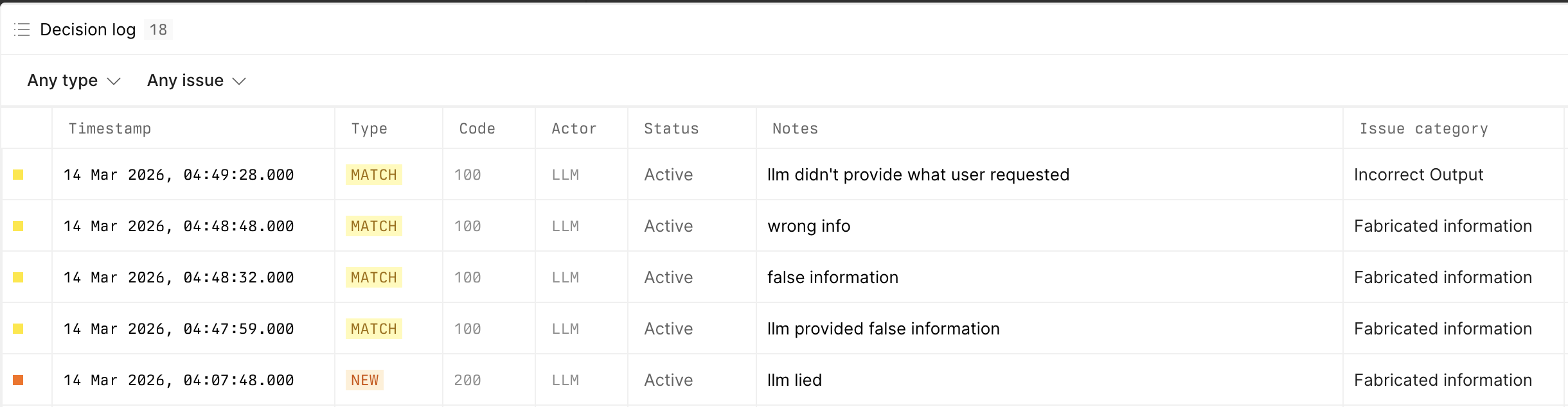
Understand how issues are created
Issues are created from the Review workflow:- A reviewer inspects a conversation in Review and submits feedback.
- When the review is negative, Axiom matches it to an existing issue, If Axiom doesn’t find a match, it creates a new issue and adds the reviewed conversation as supporting evidence.
- The Issues page collects those recurring findings so you can manage them as a shared backlog instead of reviewing each conversation in isolation.
Open issues
To open issues:- Navigate to AI engineering.
- Click Issues.
- Select a capability from the sidebar.
Find an issue
To find an issue:- Use the status filter to switch between Unresolved and Resolved.
- Use search to filter the issue list.
- Click an issue to open its details.
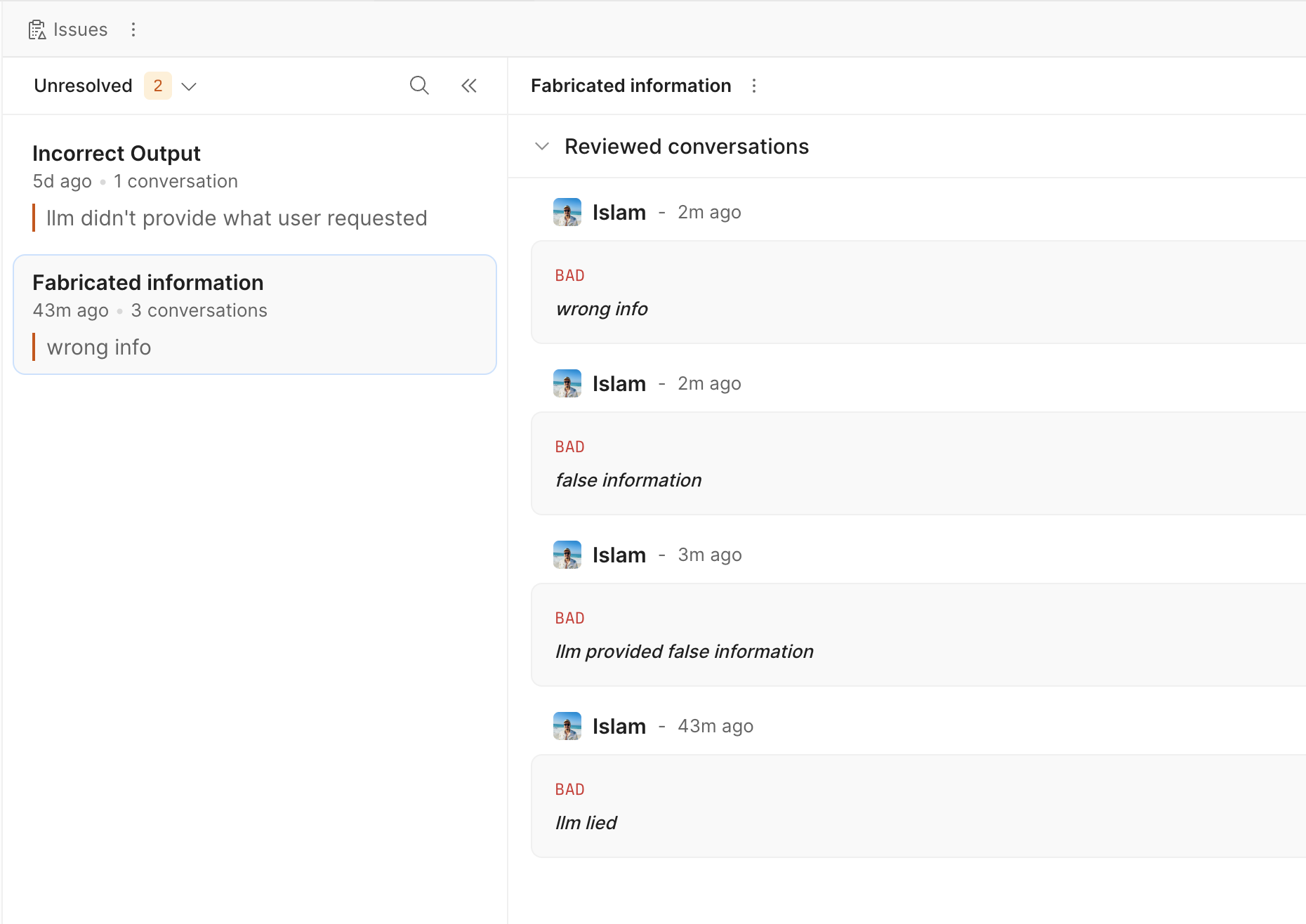
Review issue evidence
To inspect the conversations behind an issue:- Open the issue from the list.
- Review the Reviewed conversations section.
- Check the reviewer, timestamp, feedback label, and excerpt.
- Click View trace to open the related trace.
Change issue status
To change the status of an issue:- Open the issue.
- Click Mark as resolved or Mark as unresolved.
Delete an issue
To delete an issue:- Open the issue.
- Click the issue actions menu.
- Click Delete issue.
- Confirm the deletion.
View the decision log
To inspect review-to-issue decisions:- Open AI engineering > Issues.
- Click the page actions menu.
- Click View decision log.
- Filter the list by decision type or issue.
- New for reviews that created a new issue.
- Match for reviews mapped to an existing issue.
- Skip for reviews that didn’t create or match an issue.